Where Is My Train can locate your train using cell-tower information while you travel onboard, without internet or GPS. Its Android app also stores timetables offline, so you can consult planned routes and timings without a fresh download.
The developer confirms both features in the official Google Play description. This guide concerns that app. Our independent website’s train search and tracking tools need an internet connection for fresh enquiries.
What the app can do offline
| Feature | What it means |
|---|---|
| Offline timetable | You can consult the schedule stored in the app. Scheduled times alone do not confirm the train’s actual progress. |
| Onboard location | The developer describes using cell-tower information while you travel on the train. |
| Remote tracking | Do not assume your phone can locate a distant train offline simply because the app supports onboard tracking. |
| Fresh website enquiry | Our website must contact its source to retrieve a new report. The app’s offline features do not extend to this website. |
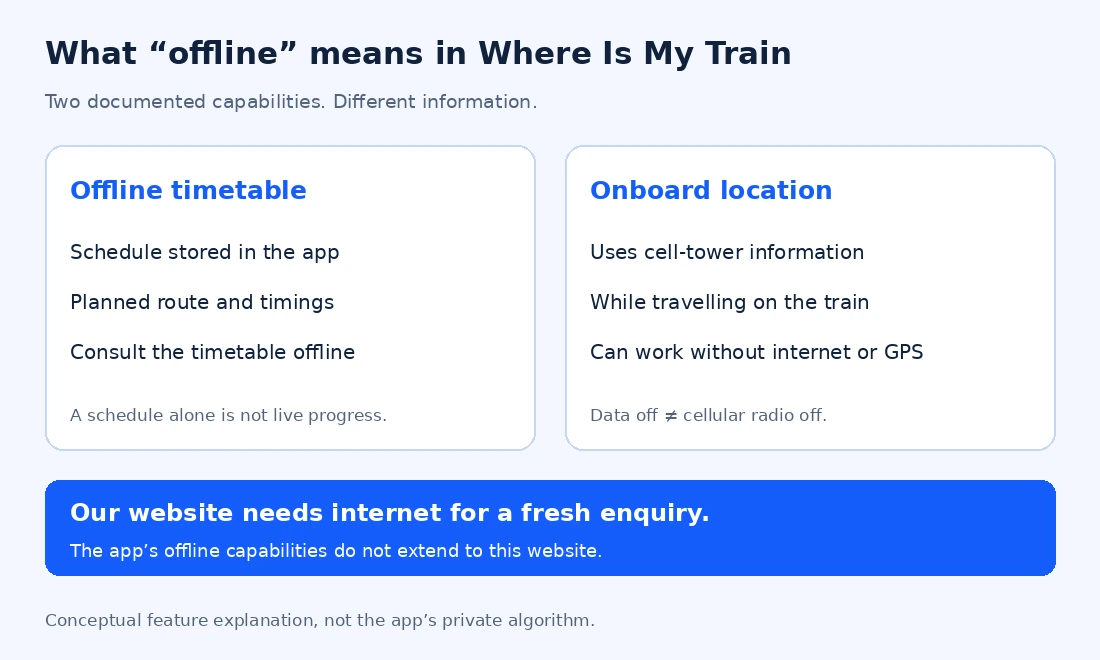
Conceptual explanation of documented features, not the app’s private algorithm.
How cell-tower tracking helps
Mobile data and mobile-network reception are different things. Switching off mobile data does not necessarily disconnect your phone from the mobile network.
The app’s published description identifies cell-tower information as the basis for its onboard offline location feature. That explains why “without internet” does not have to mean “without any signal.”
The useful distinction is between the planned journey, stored as a timetable, and reported progress along that journey. A schedule alone cannot tell you whether the train has reached a station.
The public sources reviewed here do not disclose the app’s complete location algorithm, tower database or correction rules. Descriptions of exact tower-matching steps should therefore be treated as explanations or reconstructions, not verified access to the app’s engineering.
Set up your journey before leaving
Prepare while you still have a working connection:
- Open the correct app. Check the official listing rather than relying on a similarly named website or download mirror.
- Find your service. Search by train number/name or enter your From and To stations.
- Confirm direction and stops. Check that the selected train serves your boarding station and destination in the right order.
- Open the journey view. Learn where the app displays the route, arrival information and journey status before you need them onboard.
- Follow permission prompts carefully. Use the explanation displayed by your installed version. Avoid changing unrelated phone settings based on generic instructions.
Google’s official help page documents the app’s search and tracking controls. Its accompanying tutorial separates searching, tracking and station departures; it does not establish that every feature is available offline.
Read the report correctly
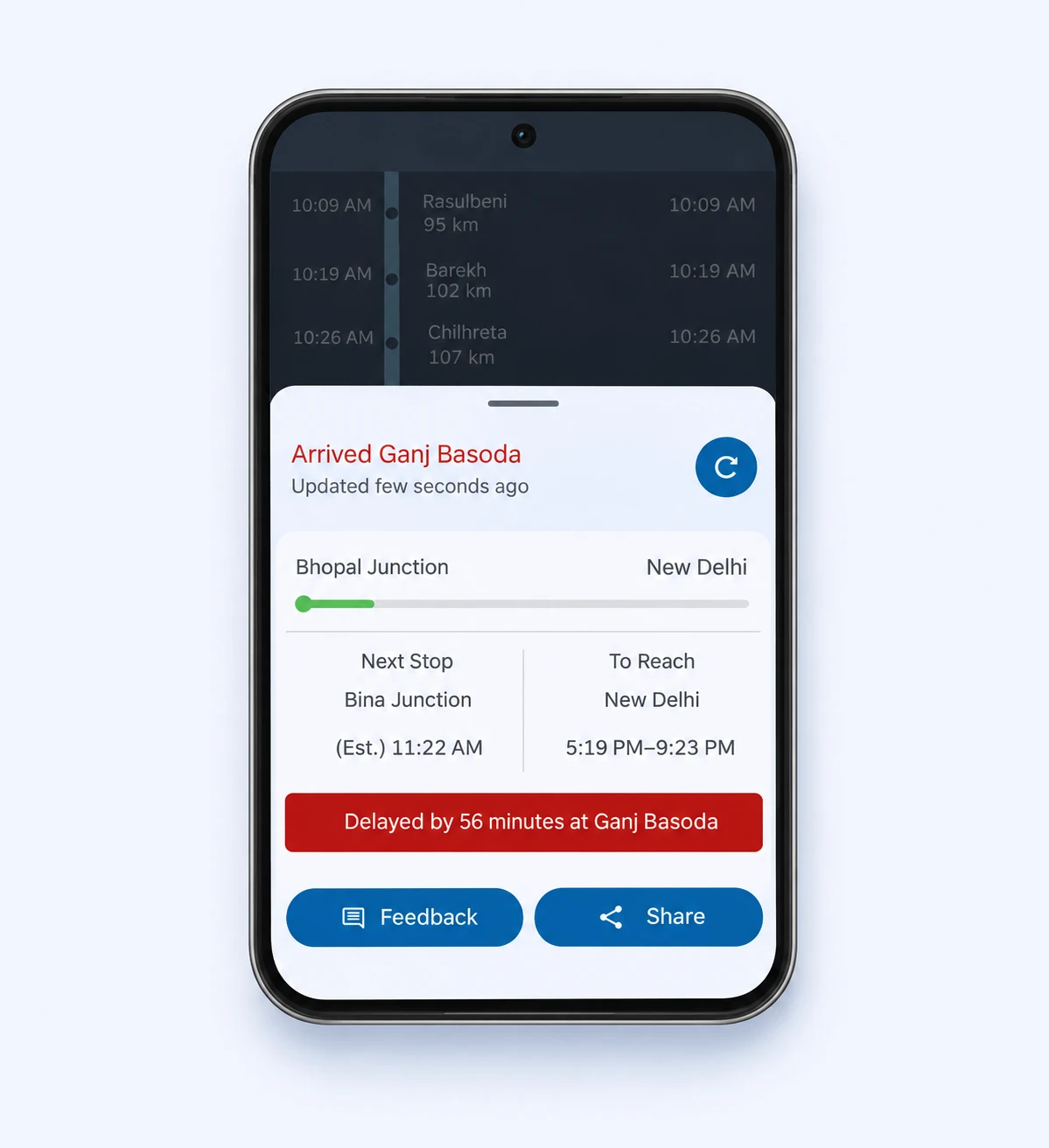
When a report includes both a scheduled time and another arrival time, identify what each label represents. An estimate can change as the journey progresses.
Example: a scheduled arrival of 14:00 and an estimated arrival of 14:25 indicate a predicted 25-minute difference at that station. They do not prove that the train has already arrived, or that every later stop will have the same delay.
Before using a result, check:
- Train identity: number and direction.
- Station: your boarding stop, not just the train’s origin.
- Journey date: especially when the service started the previous evening.
- Freshness: whether the displayed update includes a date as well as a time.
- Meaning: scheduled, estimated and recorded times answer different questions.
Mobile data off is not airplane mode
Do not use an airplane-mode test as proof that the cell-tower feature works without network reception. Airplane mode normally disables cellular connectivity, which changes the conditions described for tower-based tracking.
Likewise, a stored timetable remaining visible in a tunnel does not prove that the location estimate is still updating. Check whether the displayed progress changes and whether the app identifies a fresh update.
If the position stops changing, avoid guessing the train’s location from the clock alone. Recheck the selected service and use station announcements or railway staff when you need immediate boarding information.
App versus this website
Our Find Trains and Track Train tools retrieve station reports over the internet. They currently do not verify a specific dated run or confirmed current location. Use the separate app for its documented offline features, and follow station displays and announcements for immediate travel information.
If offline tracking stops updating
- Check the service: confirm the train number and direction before interpreting its position.
- Check reception: a weak data connection and no cellular reception are different conditions. A stored timetable may remain visible even when a location update is unavailable.
- Read the app’s prompts: check any requested permissions or settings described by your installed version.
- Reconnect when possible: retrieve a fresh update and compare it with the displayed schedule.
Frequently asked questions
Does Where Is My Train need GPS?
The Android developer description says its onboard location feature can work without GPS by using cell-tower information. That does not mean every feature, device or situation behaves identically.
Can I track someone else’s train offline from home?
Do not assume so. The published cell-tower explanation is specifically about travelling onboard. Your own phone’s nearby towers do not identify the position of a distant train.
Does an offline timetable show actual delays?
A timetable records planned timings. Its presence alone cannot confirm a current delay. Read any separately supplied journey updates and their labels.
Is offline location always exact?
A displayed position is not a guarantee of exact location. Check the train, station and available update labels, and confirm immediate travel decisions through station information.
Does this website work without internet?
A fresh search or report on this website needs an internet connection. The Android app’s offline features belong to that app.
Also read: Who created Where Is My Train? Founder and owner.